
How to Delete a Guide
| Choose a Guide to Delete |
This article explains how to permanently delete a Guide from Qualta AI.
Team members with a Viewer or Editor role are not able to delete Guides.
Deleting a Guide is an irreversible action. Please ensure you no longer need the Guide or its associated interviews before proceeding.
Choose a Guide to Delete
- First, navigate to the Guides page in the navigation menu.
- In the SEARCH bar, enter the name of the Guide you want to delete.

- Alternatively, use the sorting options to sort the Guide listing by Guide Name, Date Created, or Date Published.
- Additionally, toggling the Show Archive button will display archived Guide entries.

Delete Guide
Next, from the Guide listing, hover your pointer over the More options icon adjacent to the Guide you want to delete. From the dropdown menu, select Delete.
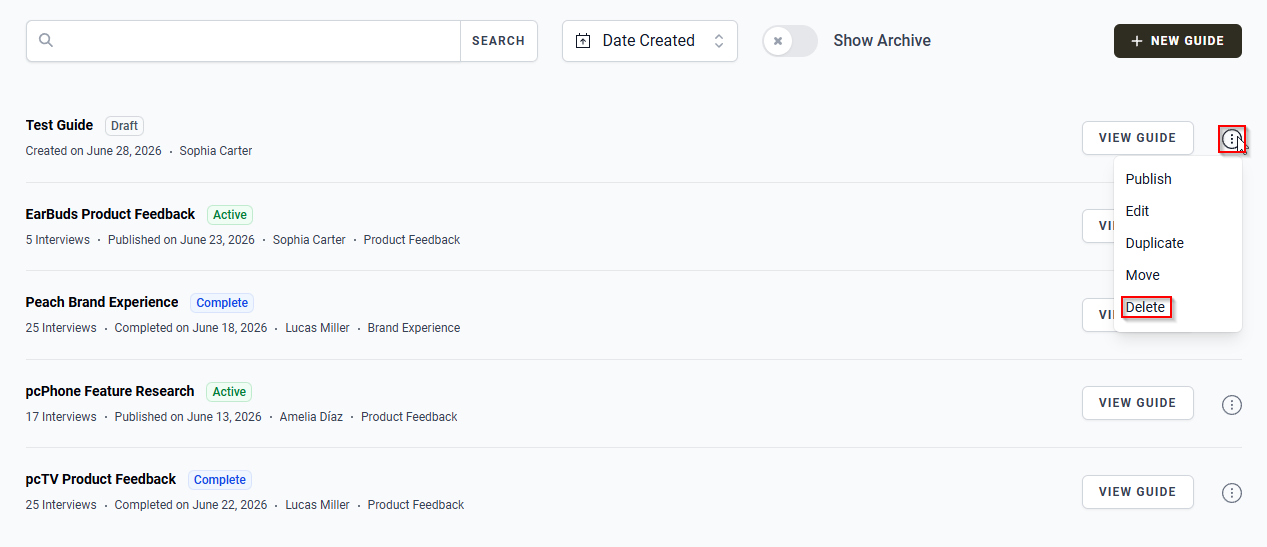
A pop-up dialog titled Delete Guide will appear, asking you to confirm the action.
- To permanently delete the Guide and all of its associated interviews, click the red DELETE GUIDE button.
- To cancel the action and keep the Guide, click the CANCEL button.

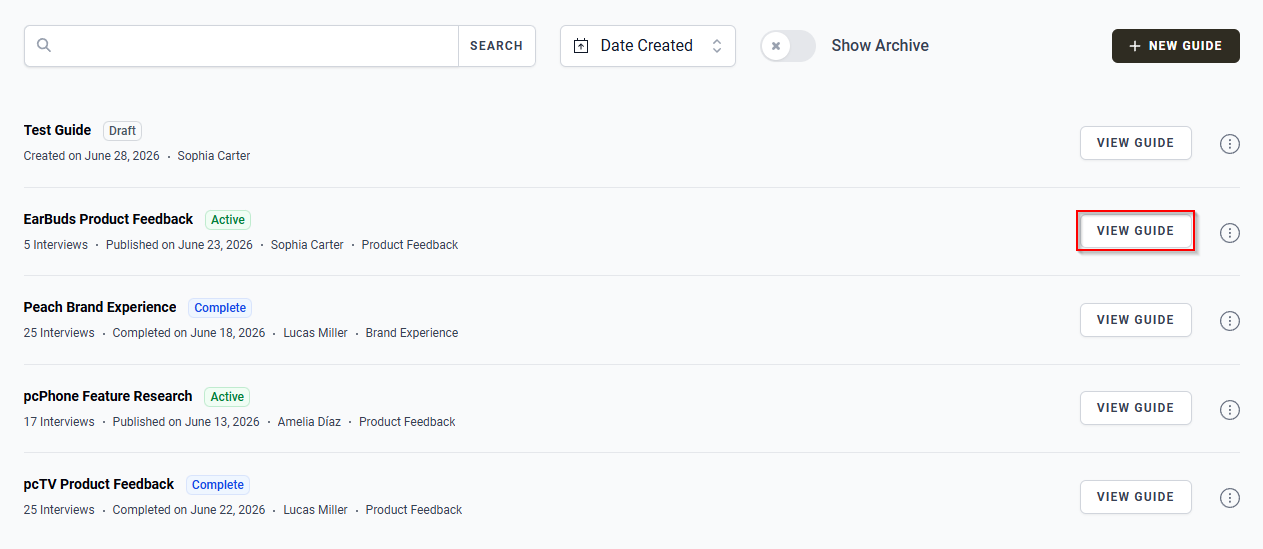
Alternatively, click the VIEW GUIDE button next to the specific Guide you want to delete. This will direct you to the Guide's detail page.
To delete a Guide from its detail page, hover your pointer over the More options icon in the upper right corner of the page. From the dropdown menu, select Delete.
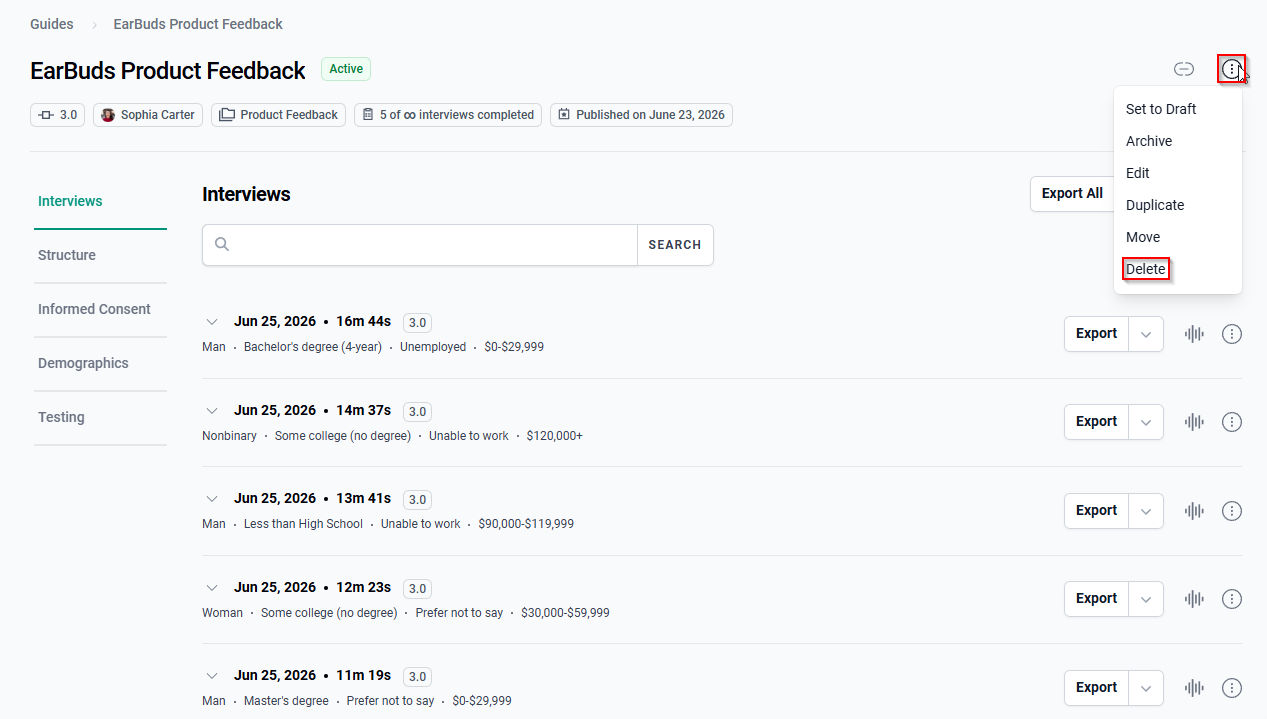
A pop-up dialog titled Delete Guide will appear, asking you to confirm the action.
- To permanently delete the Guide and all of its associated interviews, click the red DELETE GUIDE button.
- To cancel the action and keep the Guide, click the CANCEL button.